Phrase-Lock turns your smartphone into a password and passkey wallet for your computer. Just one tap, and your login credentials are automatically entered—even on the Windows lock screen. Phrase-Lock transfers your login password directly to Windows and fills in the login field automatically — fast, accurate, and free of typos, even for long, complex passwords. The Phrase-Lock app provides Windows with a passkey — no password required. Your phone confirms with a PIN, and Windows Hello unlocks the desktop automatically. The choice is yours: Use your own relay server for maximum control, or our publicly accessible relay server with multiple layers of security! Transmits your login credentials to your computer via an end-to-end encrypted private channel. Forwards login credentials between your smartphone and PC—use your own relay server for full control, or our public relay server to get started right away. Your KeePass database (.kdbx) can optionally be shared with others. Receives the login credentials from the smartphone and transfers them to the login form—no manual entry required, no copying and pasting needed. Every other password manager makes you choose: keep KeePass, or switch and lose your setup. Phrase-Lock doesn't. Point it at your existing Credentials live only on your smartphone — not in a cloud you don't control. Works before Windows has even fully booted — even on the lock screen. Full-featured passkeys straight from your phone — no extra hardware token. No subscription, no account with us required. Free to start. Forever free! One-time payment · no subscription You can build it yourself at any time using our public installers at
github.com/phraselock A Raspberry Pi 5, fully configured and ready. Just plug it in. Already have a Pi? We'll ship you a ready-to-insert SD card. Bring your own VPS — we configure it remotely and hand it over ready to use. No public IP, or don't want to expose your own? Use our shared relay. „Your digital identities must remain in your control — not in the hands of a service you don't control.
Because digital sovereignty requires real control — and we're placing it in your hands now." A one-page summary—available as a compact version for emails or a high-resolution version for printing.Your smartphone as a universal key -
for any situation, for any account! Self-hosted
with KeePass
Self-hosted
with KeePass
 win
win Connected to PC
 Passkey ready
Just tap once on your smartphone,
that's all it takes to sign up - no matter the situation!
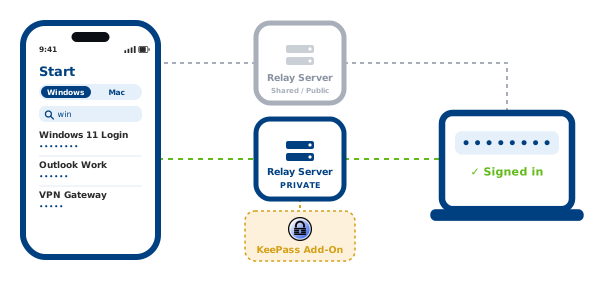
A relay server connects a smartphone and a computer
Your KeePass vault — live on your phone, nowhere else.
.kdbx file once, and every change you make in KeePass shows up on your phone in real time — no migration, no second vault to keep in sync by hand, no compromise. Nobody else offers this
 Live sync, not a one-time import
 100% self-hosted, your infrastructure
 Sync
Sync


Download Now
Full password & passkey autofillUses our secure Relay-Server Community & FAQ support
Personal License
Full range of functionsAllows use of your own Relay-ServerKeePass live-sync includedCommunity & FAQ support
Business License
Full range of functionsAllows use of your own Relay-ServerKeePass live-sync included30 days of priority email support includedOur Ready-To-Go offers to get your Relay server up and running quickly.


One-pager document to print, forward, or distribute

No subscriptions · No cloud account
Data stays on your phone
Passkeys ready
Made in Austria (EU)
Start
WindowsMac
Windows 11 Login
••••••••••••••••
Outlook Work
••••••••••••
VPN Gateway
••••••••••
Phrase-Lock in action
Your smartphone sends the password to Windows
Your smartphone as a passkey for Windows
HOW IT WORKS
Your Phrase-Lock App
The Relay Server
Your PC
The one thing no other password manager can do
Your data, your device
No browser plugin
Passkeys & WebAuthn
Made in Austria
Free
Get started in minutes
€ 0
Personal License
For private, non-commercial use
€ 9,99
RECOMMENDED FOR BUSINESSES
Business License
Commercial use permitted
€ 29,99
Would you prefer a ready-to-use relay server?
Ready-to-Go Pi
€ 499 excl. VAT · license not included
Order
Pre-configured SD Card
€ 79 excl. VAT
Order
VPS Setup Order
€ 329 excl. VAT · Syncthing setup on request
Order
Proxy Hosting
from € 49 per year, excl. VAT
Order
ONE-PAGER
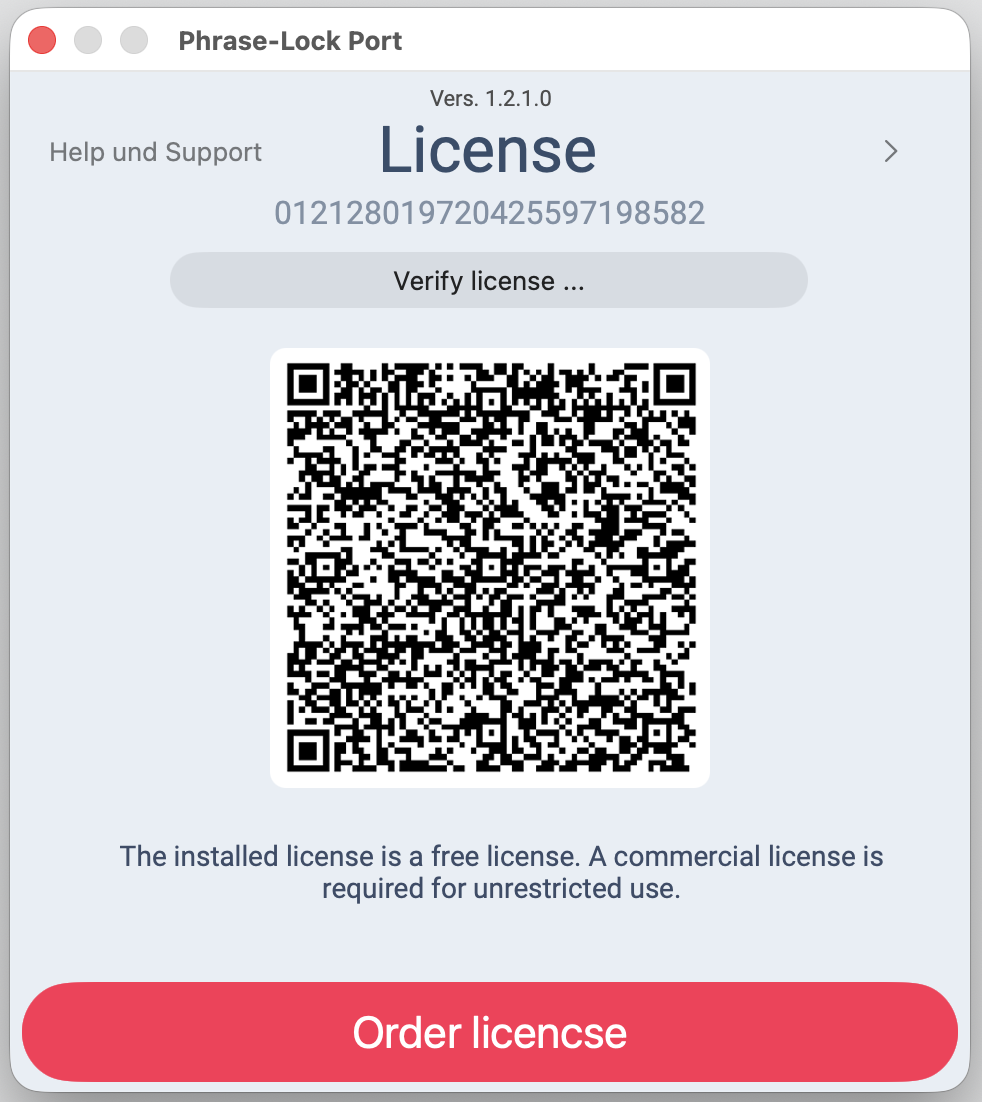 You can install Phrase‑Lock and try out every feature first — you only need a license once you've decided to keep it.