
 Please note: Login data are very sensitive and personal. Entering access data into websites or programs is sometimes one of the most critical steps in operating digital services. When you use our online data generator, you enter personal information in a mask from which a QR code is subsequently generated to transfer login data to your cell phone.
By using Phrase-Lock, you also have confidence in us. This confidence is opposed to our careful handling of your personal data and our effort to protect and preserve your secrets with the necessary care. In this respect, we guarantee the security of our data generator. Of course, you can also use another tool of your choice for this task. Further information can be found under „Tools – Online QR Data Generator“ on this page.
Please note: Login data are very sensitive and personal. Entering access data into websites or programs is sometimes one of the most critical steps in operating digital services. When you use our online data generator, you enter personal information in a mask from which a QR code is subsequently generated to transfer login data to your cell phone.
By using Phrase-Lock, you also have confidence in us. This confidence is opposed to our careful handling of your personal data and our effort to protect and preserve your secrets with the necessary care. In this respect, we guarantee the security of our data generator. Of course, you can also use another tool of your choice for this task. Further information can be found under „Tools – Online QR Data Generator“ on this page.
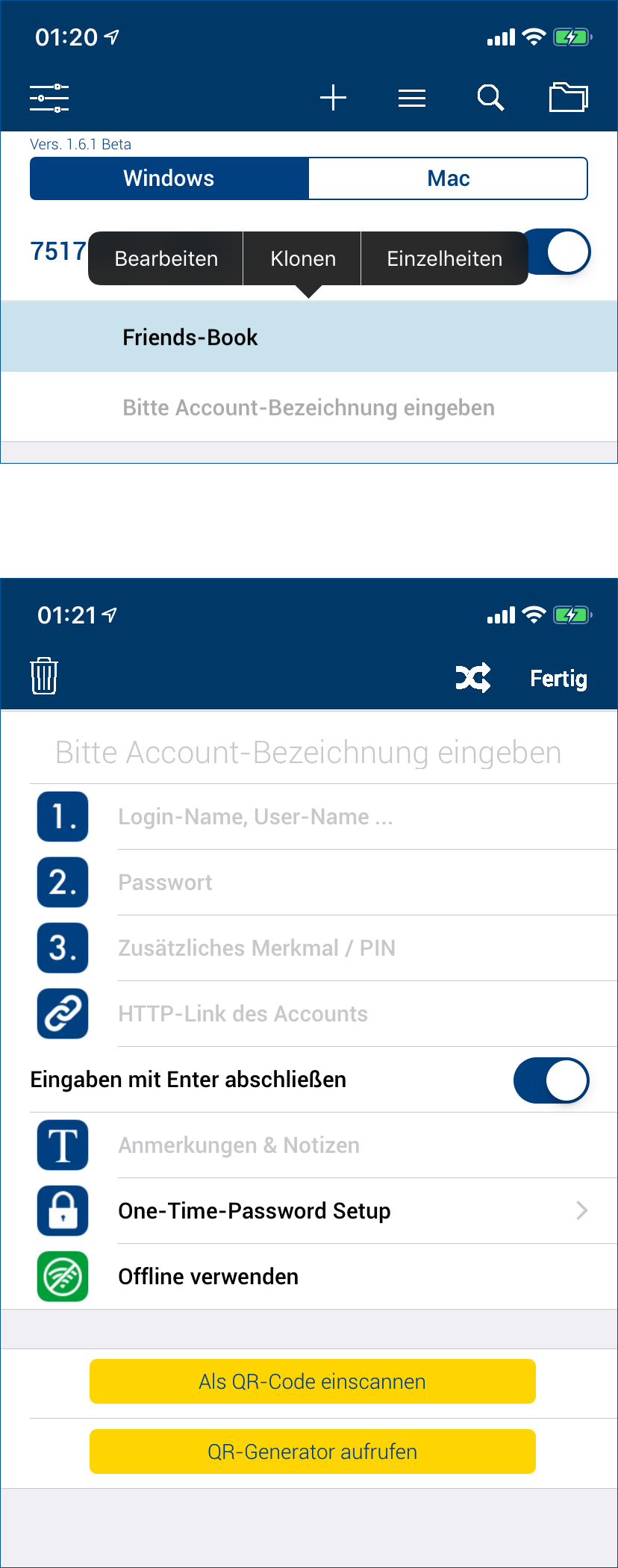 If you already have a login record, you can touch and hold it briefly. This will bring up the context menu and select „Edit“. How to create a new record is described under „How To – Edit login data“. In both cases you will see a mask as shown here with the two yellow buttons.
You could either call the data generator directly on our site or enter the link to it in the browser address bar using your USB-Key. To do this, press „Invoke QR Generator“ and follow the instructions.
With the button „Scan as QR-Code“ you can read in the generated data to create new login data quickly and efficiently.
If you already have a login record, you can touch and hold it briefly. This will bring up the context menu and select „Edit“. How to create a new record is described under „How To – Edit login data“. In both cases you will see a mask as shown here with the two yellow buttons.
You could either call the data generator directly on our site or enter the link to it in the browser address bar using your USB-Key. To do this, press „Invoke QR Generator“ and follow the instructions.
With the button „Scan as QR-Code“ you can read in the generated data to create new login data quickly and efficiently.
Call up Edit
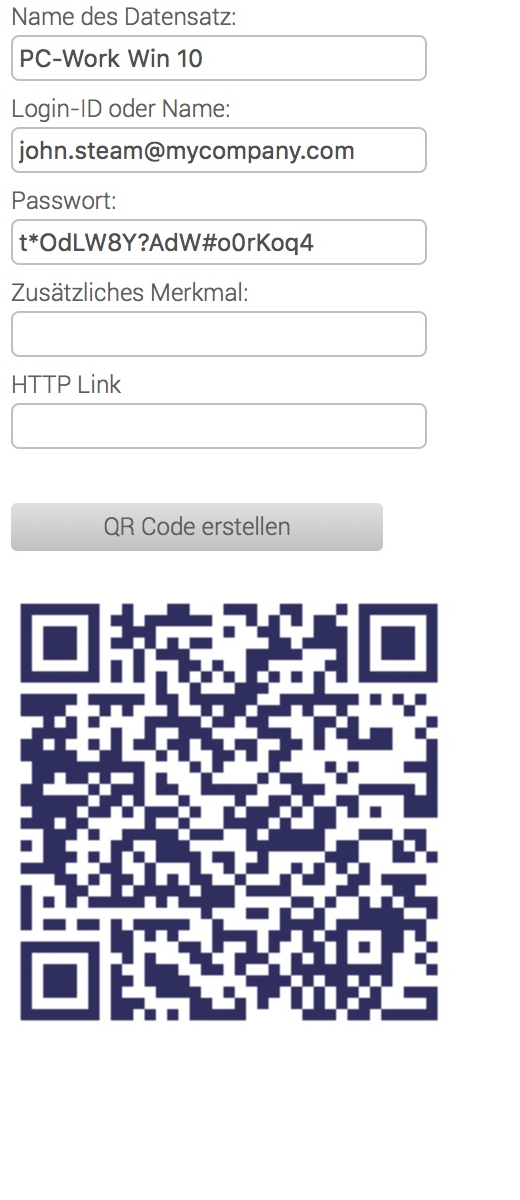 Now call the data generator and fill the fields with the desired data.
Then click on „Create QR Code“, you will see the result immediately afterwards. The QR code represents the data entered. Press the „Scan as QR Code“ button in the Edit menu to transfer the login data record.
You can also try reading in the QR code shown here. You will see how easy it is to create a larger number of login data.
Suggestion: If you have any concerns, it is advisable to enter all information except the password and to add it later on the cell phone.
Now call the data generator and fill the fields with the desired data.
Then click on „Create QR Code“, you will see the result immediately afterwards. The QR code represents the data entered. Press the „Scan as QR Code“ button in the Edit menu to transfer the login data record.
You can also try reading in the QR code shown here. You will see how easy it is to create a larger number of login data.
Suggestion: If you have any concerns, it is advisable to enter all information except the password and to add it later on the cell phone.
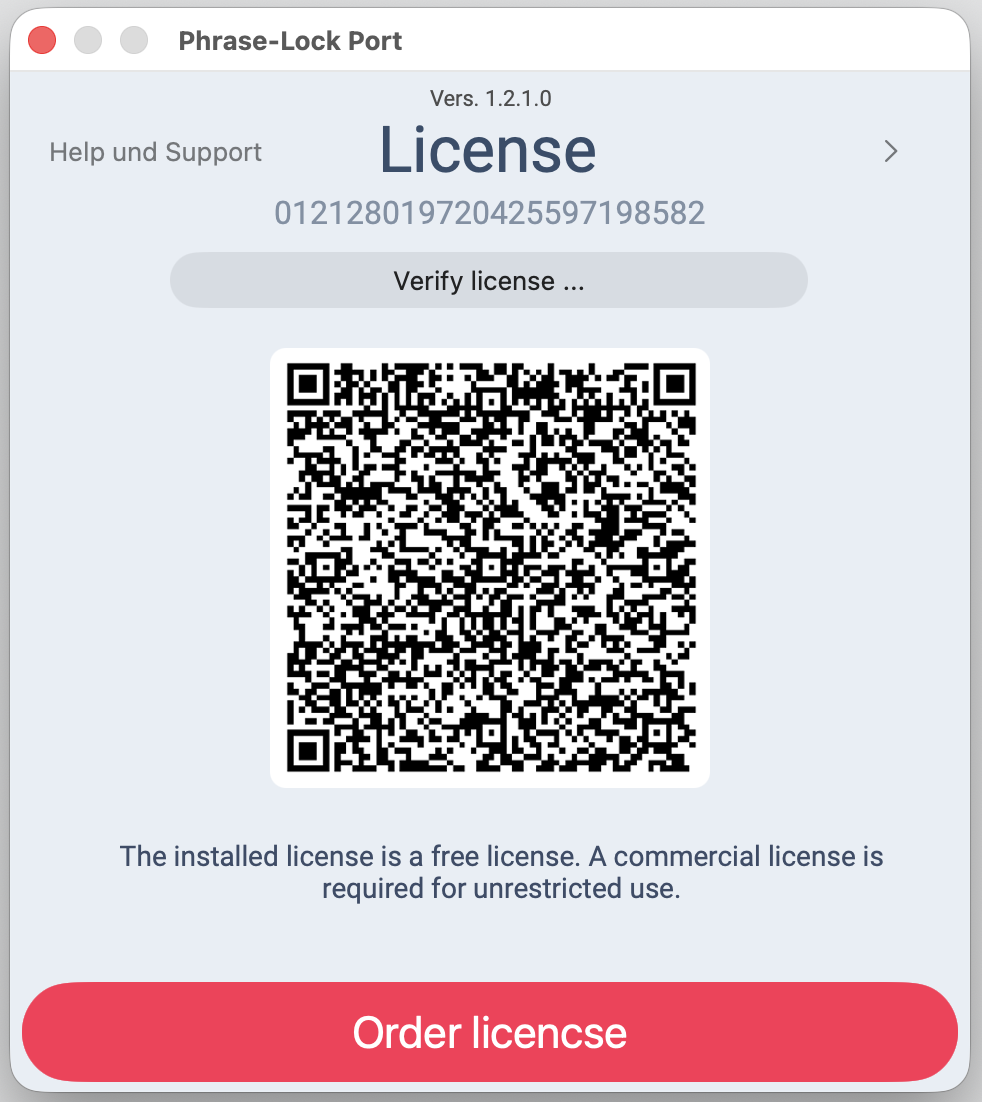 You can install Phrase‑Lock and try out every feature first — you only need a license once you've decided to keep it.