
 Important note about the master key: Since App version 1.6, the master key is accepted for each installation with no limitation of functionality. For you, this means that backups are possible even with the factory pre-defined master key. If you install a USB Key on another telephone, the current master key is also applied. Independently of whether it is the factory key or a newly defined master key.
The installation restriction is removed. From now on you can install your USB-Keys on as many smartphones as you like. All new ordered USB-Keys can now be installed on as many smartphones as you like without any restrictions. For all USB-Keys bought before this date, we need the written confirmation of our customers (email or post) that we may remove the previous installation restriction. If desired, the installation restriction may stay in place or be activated again.
Important note about the master key: Since App version 1.6, the master key is accepted for each installation with no limitation of functionality. For you, this means that backups are possible even with the factory pre-defined master key. If you install a USB Key on another telephone, the current master key is also applied. Independently of whether it is the factory key or a newly defined master key.
The installation restriction is removed. From now on you can install your USB-Keys on as many smartphones as you like. All new ordered USB-Keys can now be installed on as many smartphones as you like without any restrictions. For all USB-Keys bought before this date, we need the written confirmation of our customers (email or post) that we may remove the previous installation restriction. If desired, the installation restriction may stay in place or be activated again.
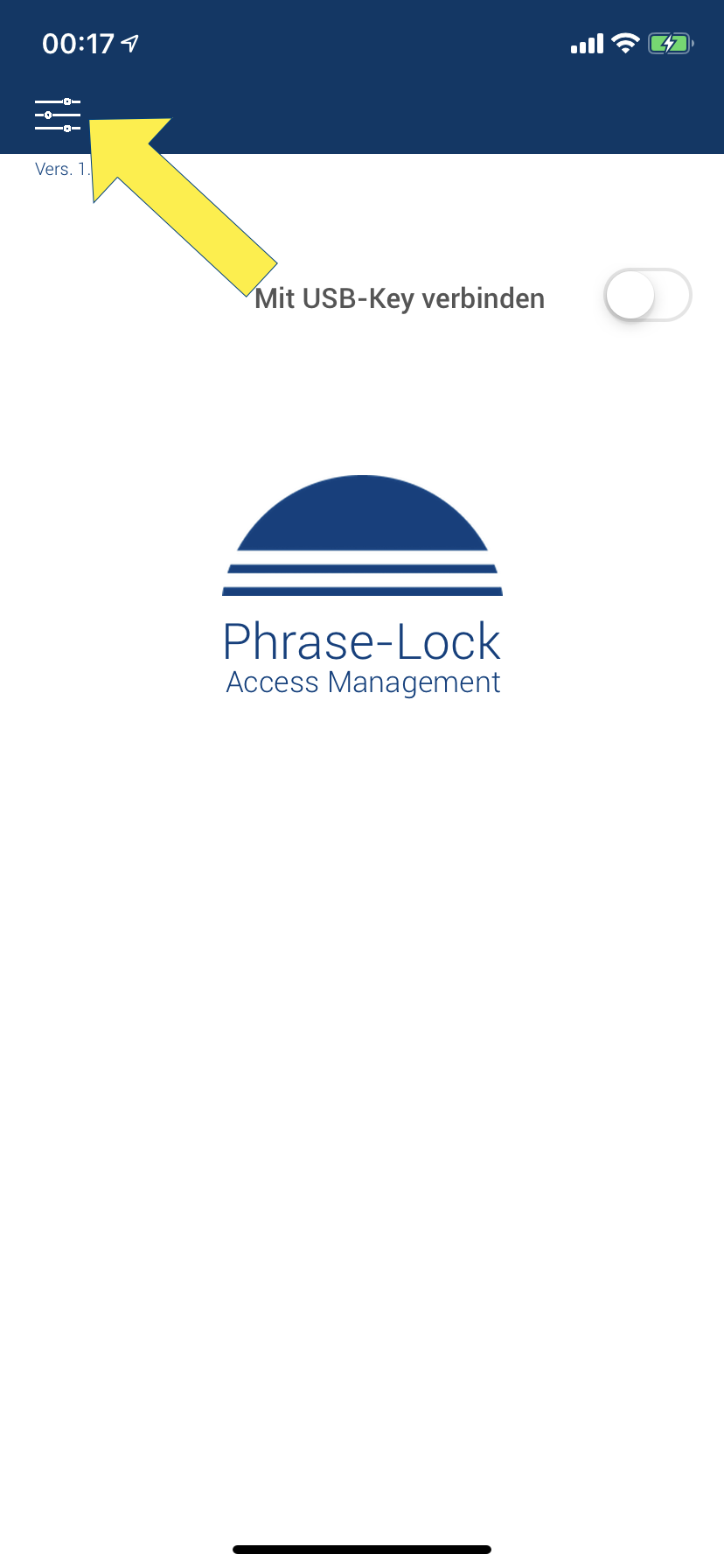
If you have bought a new cell phone and want to install your USB-Key onto it, you must first uninstall the USB-Key from the old phone. Uninstalling is easy, just make sure your cell phone has an Internet connection to register the uninstallation in our database. Please note: For security reasons it is not possible to install a USB-Key on more than one device. If you have lost your cell phone or it is no longer usable for other reasons, the security mechanism can be removed for a certain time to allow you the reinstallation. However, the simultaneous use of a USB-Key on several phones can lead to data loss and the expiration of the license. In the first step, call up the settings as shown.
Calling up settings
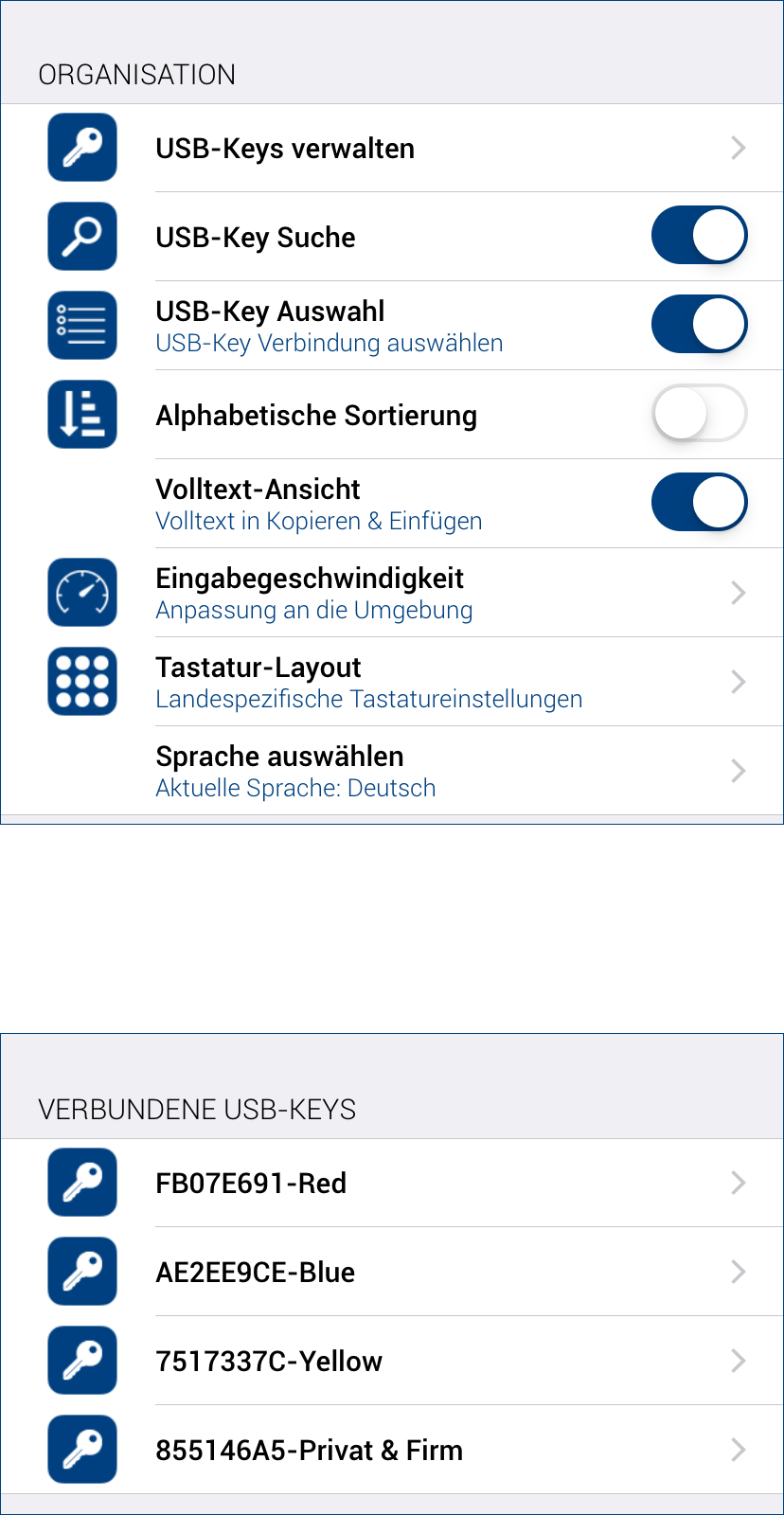 Now tap on the menu item “USB-Key Organization” in the settings and then select the desired USB-Key.
Select a USB-Key
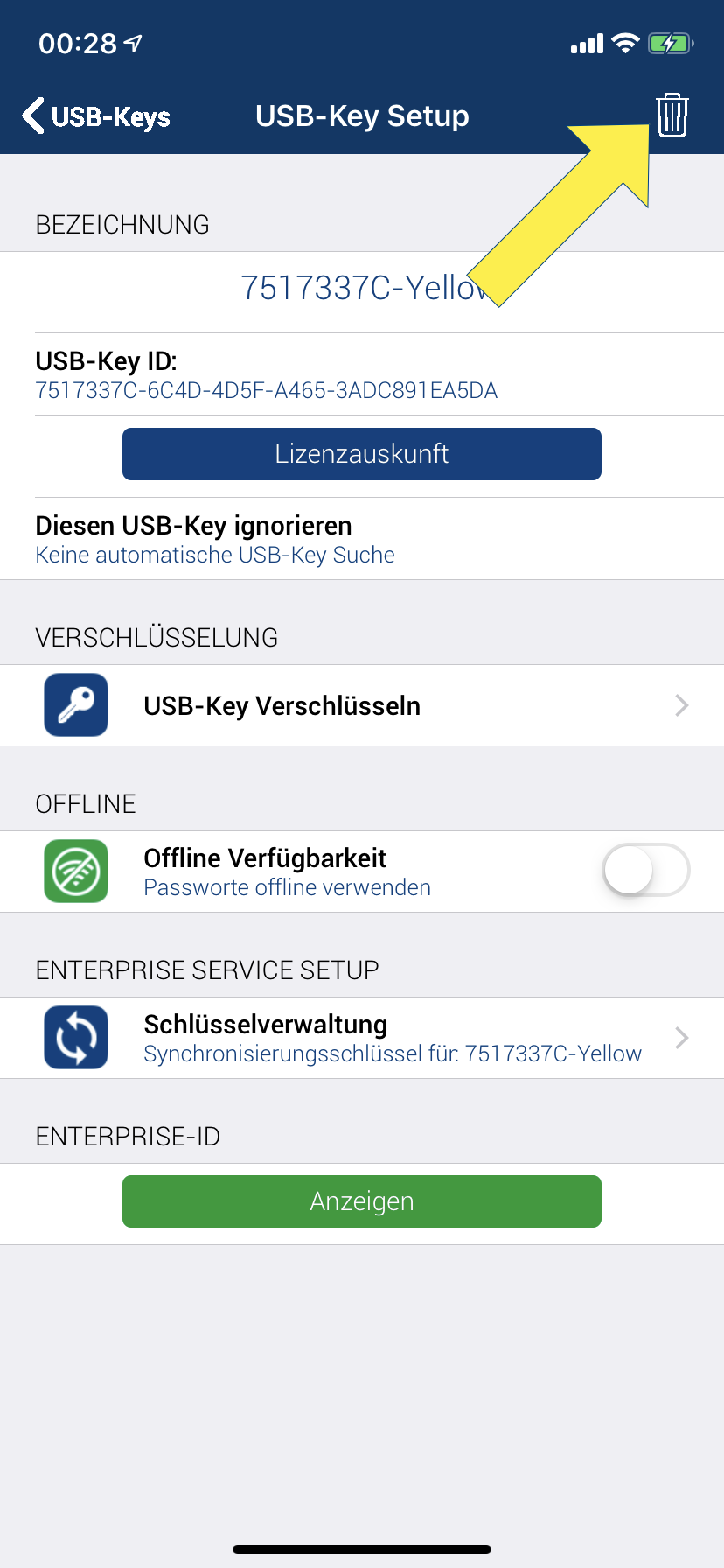 Tap on the recycle bin icon and read the notes in the next three queries carefully.
Uninstalling the USB-Key
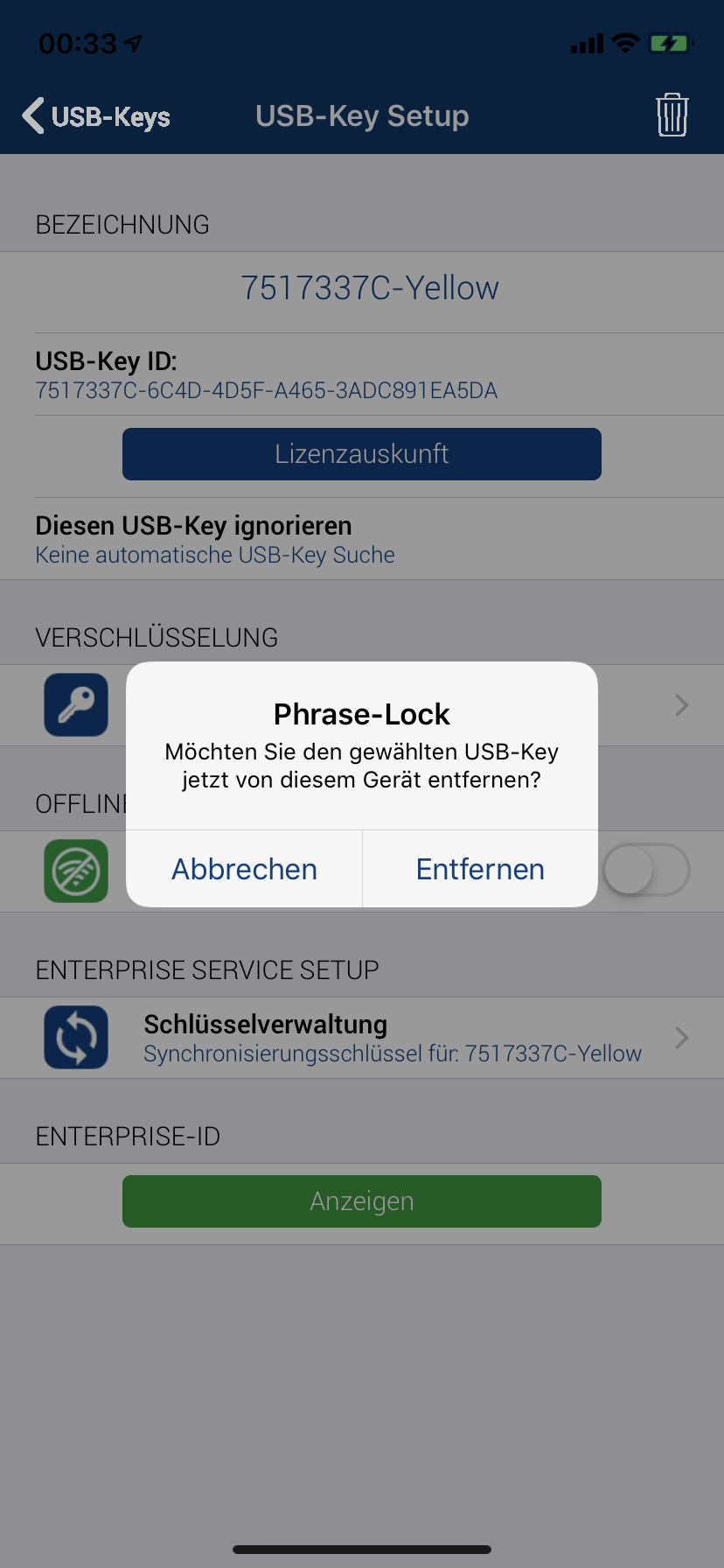 Tap “Remove”. Then the 2nd prompt appears, reminding you whether you have a current backup.
Please note: If you do not have a current backup, cancel the process to avoid data loss.
Tap “Remove”. Then the 2nd prompt appears, reminding you whether you have a current backup.
Please note: If you do not have a current backup, cancel the process to avoid data loss.
1. Dialog
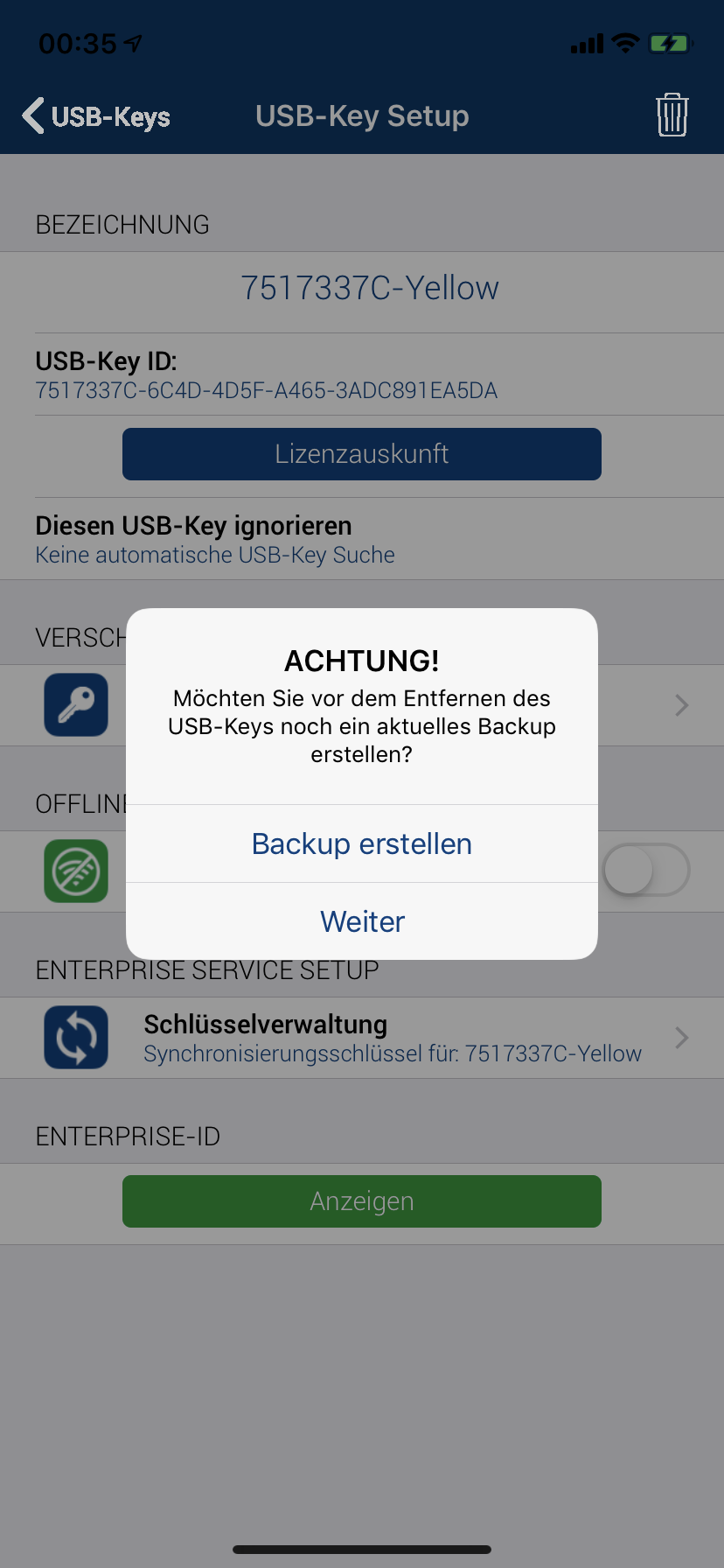 If you have a recent backup, tap „Continue“. Otherwise, cancel now!
2. Dialog
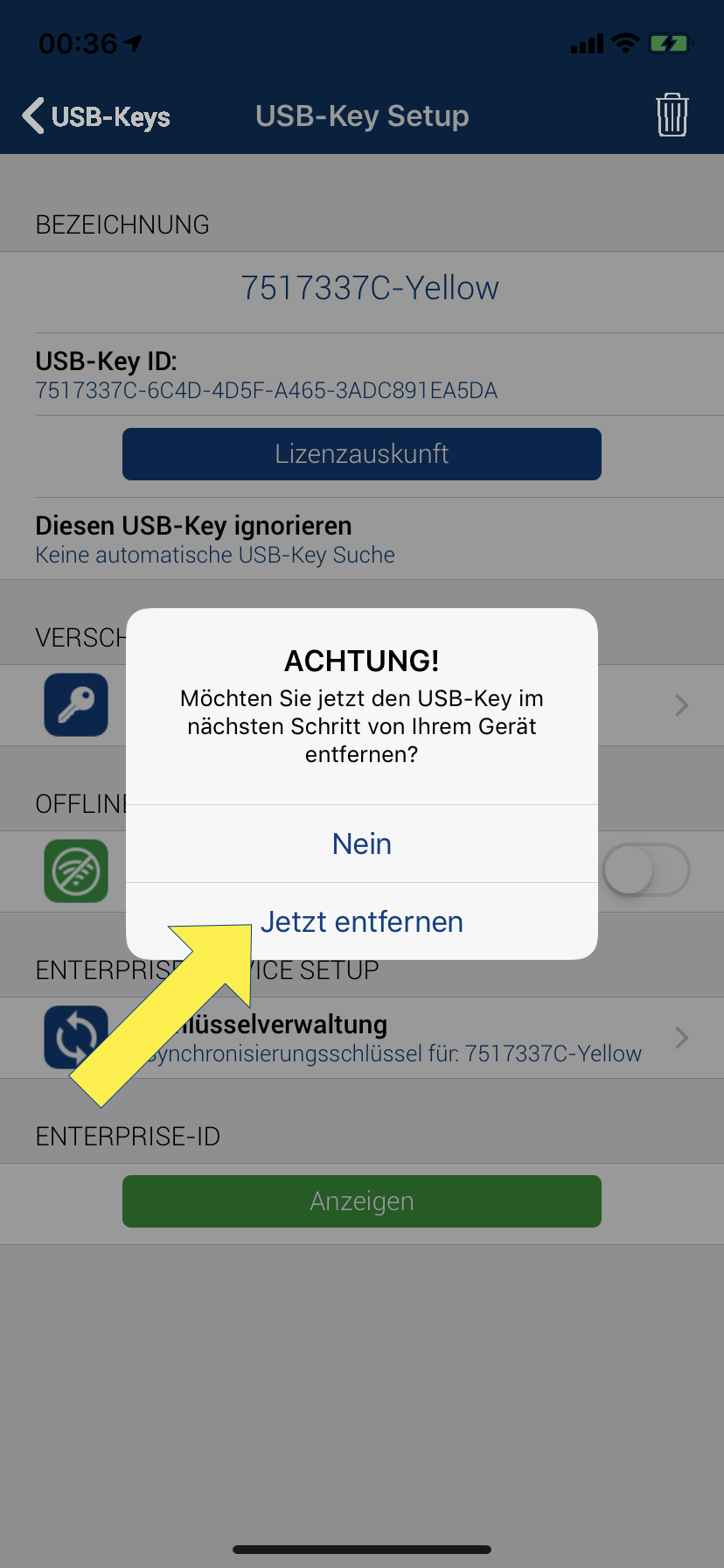 Now tap „Remove now“ in the 3rd query to uninstall the USB-Key. After this step, you can reinstall the USB-Key on any cell phone.
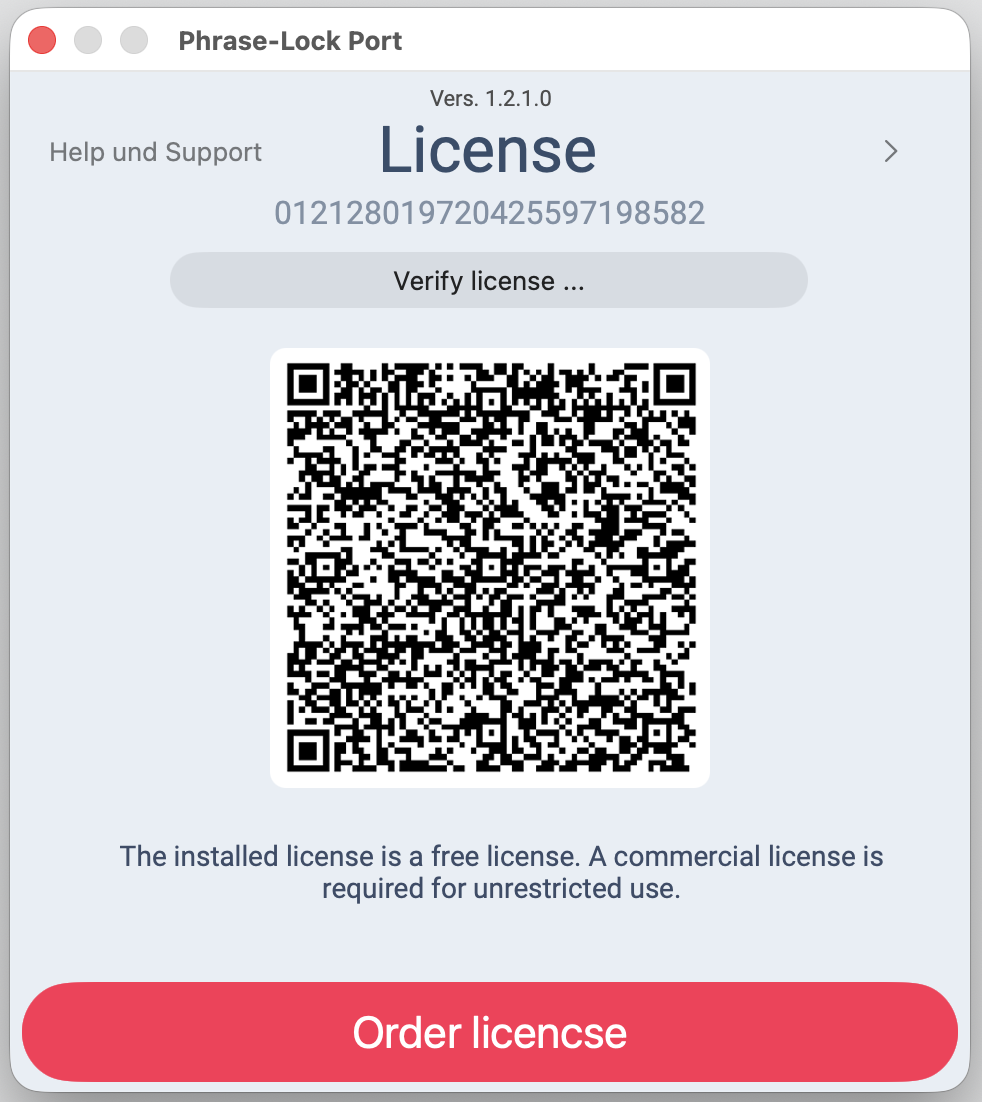 You can install Phrase‑Lock and try out every feature first — you only need a license once you've decided to keep it.